
Public preview · Pending editorial review
A PostgreSQL minor upgrade is still a fleet change
New RDS for PostgreSQL minor versions are available. The version number is the start of the work: inventory, phased validation, recovery and application behavior decide whether the upgrade is safe.
In this story

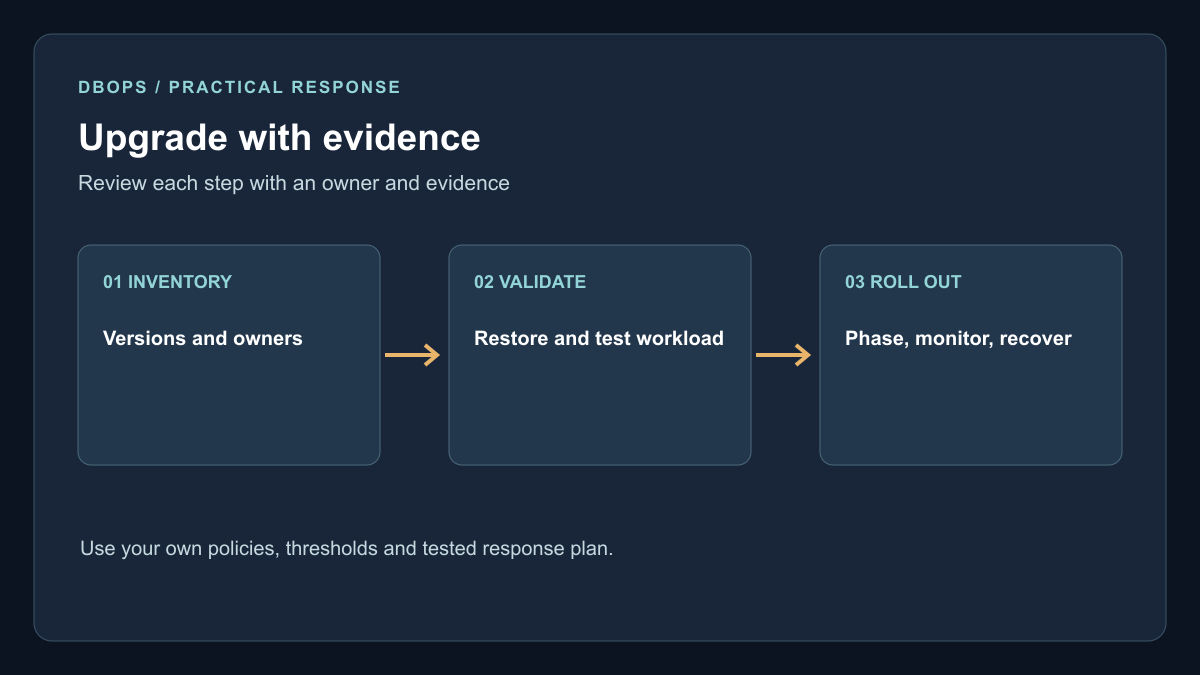
Upgrade with evidence
Plan a staged change, not just a version bump.
- Inventory
Identify versions, extensions and owners.
- Validate
Test a representative restore and application.
- Roll out
Phase upgrades, monitor and rehearse recovery.
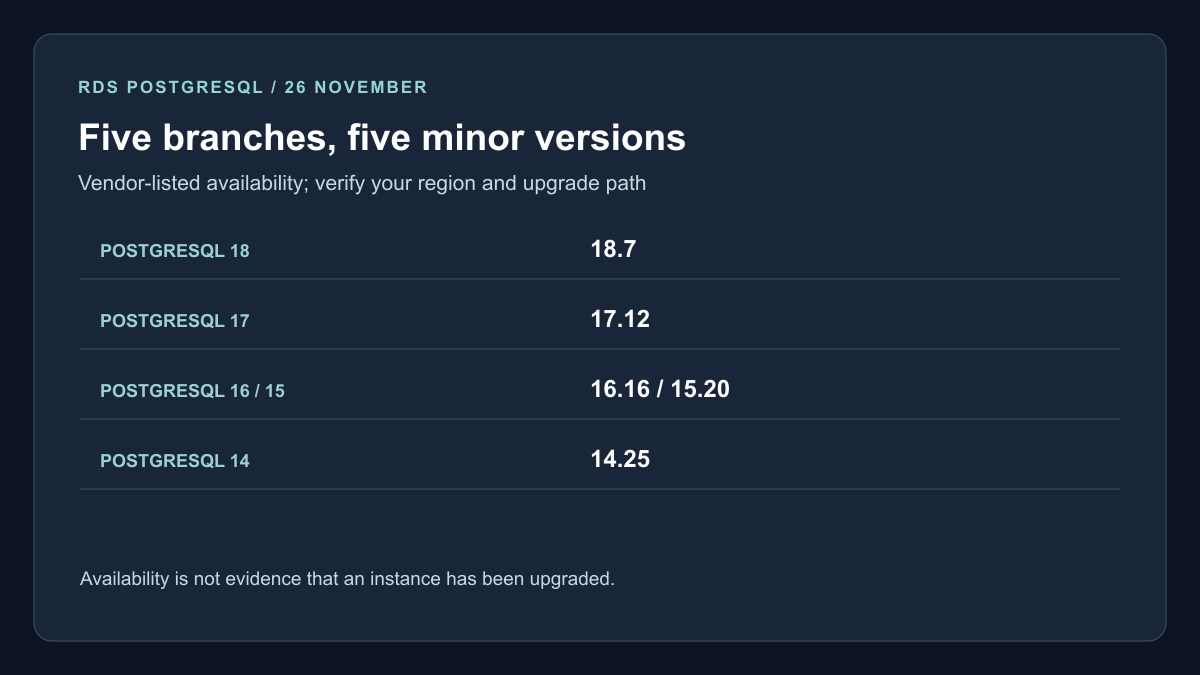
Five branches, five target versions
On 26 November, AWS announced RDS for PostgreSQL support for 18.7, 17.12, 16.16, 15.20 and 14.25. AWS recommends upgrading to address CVEs in prior PostgreSQL versions and pick up fixes. Availability and upgrade eligibility depend on your region and configuration; this list is the vendor announcement, not proof your instance has been upgraded. [1]
Check the vendor's current release notes and maintenance status for each deployed engine, extensions and region. Do not assume that a newly available version is already the automatic-upgrade target or that all instances follow the same schedule.
Phase the upgrade, then observe
AWS says its Organizations upgrade rollout policy sequences eligible automatic minor upgrades in first, second and last phases, with bake time between phases and each instance's maintenance window. It applies to resources with automatic minor version upgrades enabled; unconfigured or excluded resources receive the default second order. Read the current policy and prerequisites before relying on it. [2]
Start with representative non-production instances and validate extensions, drivers, connection pools, replication and application queries. Monitor upgrade events, health, replication lag and latency during the bake period. A phase boundary is time to check the evidence, not a magic guarantee of compatibility.
Plan for interruption and recovery
Review maintenance windows and customer impact. AWS mentions RDS Blue/Green deployments as an option to minimize downtime for minor upgrades; eligibility, replication behavior, switchover constraints and extra cost need review for the actual workload. Test a restore and application recovery plan separately: a snapshot is reassuring only if it can be restored within the required recovery objectives. [1]
There is nothing minor about discovering at 03:00 that the rollback plan was a screenshot of the old version number.
Five checks before the window
Use an approved change window and test representative workloads before applying the upgrade to production.
- Inventory instances, regions, engine and extension versions, maintenance windows, automatic upgrade settings, replicas and service owners.Evidence: A dated fleet inventory including unsupported or unknown versions.
- Check current AWS release notes, regional availability and the eligible upgrade path for each branch; identify security fixes and exceptions.Evidence: A per-instance target, version eligibility and owner-approved schedule.
- Restore a representative copy in an isolated environment and exercise extensions, drivers, migrations, critical queries, failover and replication.Evidence: Compatibility and performance results with recorded baselines and blockers.
- Define phased rollout, bake time, maintenance windows, health signals and a named decision-maker. Check default phase assignments and active campaigns.Evidence: A rollout plan, AWS Health and RDS event subscriptions, and explicit pause criteria.
- Verify backups and rehearse restoration or the applicable Blue/Green recovery path; confirm communication and recovery objectives.Evidence: A recent restore result, recovery timing, cost review and incident contacts.
Available is not installed
The announcement does not identify a compromise of your database or establish your automatic-upgrade timing. Verify the current vendor guidance and the exact instance state. Research window: 20–26 November 2026 UTC. [1]
Sources and limits
- AWS: RDS for PostgreSQL minor versions 26 November 2026. Vendor announcement and listed minor versions.
- AWS: Organizations upgrade rollout policy Provider guidance on prerequisites, phases, defaults and monitoring.
- AWS: Upgrading RDS for PostgreSQL Provider upgrade guidance and considerations.